ROI Calculator for Healthcare Providers
Transforming a complex Excel spreadsheet into an interactive 6-step web calculator for healthcare providers.
Overview
At Elevate Health Technologies, I designed and built an interactive ROI calculator to help healthcare providers understand potential cost savings from our inventory management system. This was my first real coding project—I started with no JavaScript experience and created a functional six-step calculator that became a key lead generation tool.
Challenges
• Six sequential steps with interdependent calculations
• State management across all steps
• Email collection integrated with HubSpot
• User-friendly interface for healthcare providers unfamiliar with financial terminology
• High risk of user drop-off across six sequential steps
• Need for transparency in calculations to build trust in the software ROI claims
Key UX Decisions
Progressive Visual Feedback: I designed a 6-step progress indicator with numbered circles and connecting lines. Active steps highlight in blue, completed steps turn green, and lines fill in to show advancement. This constant visual feedback addresses abandonment anxiety by showing users exactly where they are and how much remains.
Contextual Information Architecture: Each step includes an orange info button that reveals explanatory text
Strategic Result Disclosure: We positioned email collection after showing complete results. While this sacrifices some conversion, it prioritizes trust and value-first engagement—more aligned with our brand and likely to improve lead quality.
Calculate vs. Next: Dual Pathway Navigation
This was our most debated design decision. Each step offers two progression options:
• Calculate button: Displays the result immediately
• Next button: Advances without showing the result
Behind the scenes, both actions perform the calculation—the difference is purely presentational. This design:
• Allows validation-seekers to see incremental progress
• Maintains engagement by showing value building step-by-step
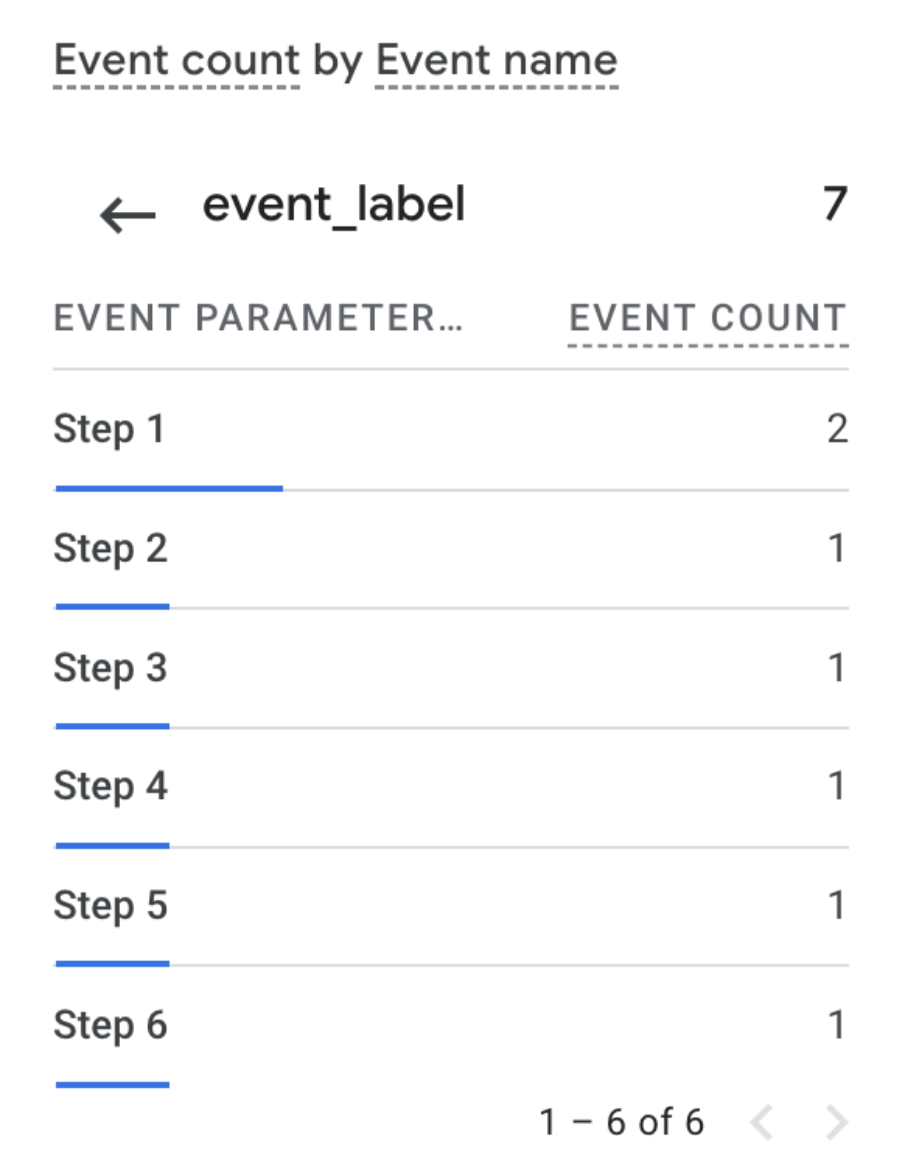
Analytics Strategy
I implemented tracking on all Next buttons at each step, pushing events to Google Analytics. This allowed us to:
• Identify exact drop-off points
• Understand whether showing results affected completion rates
• Measure the full funnel from Step 1 through email submission
Outcomes
The calculator launched successfully and served real users. While the project was later discontinued as company priorities shifted, it achieved its goal: providing transparent financial analysis to healthcare decision-makers.
Personally, this project was pivotal—it sparked my journey into coding and opened the door to my current role as a web designer and developer.
What I Learned
Data-informed design: Implementing tracking wasn't about vanity metrics. It was designing with humility, acknowledging I didn't know how users would behave, and building systems to learn from them.
Trust through transparency: Our decision to show full results before requesting emails exemplifies a principle I've carried forward: prioritizing user value over aggressive conversion often yields better long-term outcomes.
👋🏻 Personal Notes
This project was my very first time coding. Looking back at this code now, I can see approaches I'd change—perhaps using a framework for state management, more sophisticated validation, or more systematic CSS architecture. But that perspective only exists because of what this project taught me.
One of the hardest parts came at the very end: collecting user emails. I didn’t know anything about setting up a backend or storing form submissions. After a lot of trial and error, I discovered that HubSpot could track non-HubSpot forms, and I hacked together a solution using their tracking code. What feels obvious to me now was a big breakthrough back then.
In the end, I managed to capture both the step-by-step results and the user’s email, which let us send them a personalized PDF with their ROI breakdown and an explanation of how the calculations were made.
This calculator marked my transformation from designer to developer, proving that the best learning happens when building something slightly beyond your current capabilities. It showed me that technical implementation and user experience design aren't separate disciplines—they're two aspects of the same problem-solving process.
Role: UX Designer / Web Developer
Timeline: September - December 2024
View Code
JavaScript

HubSpot

GA4

Google Tag Manager